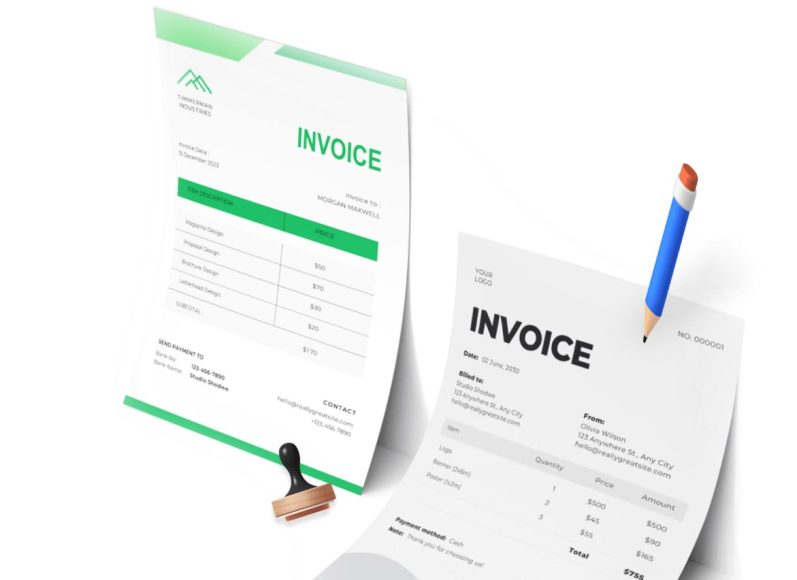
How Accounts Payable Automation Works
At its core, AP automation transforms a traditionally manual and paper-intensive process into a streamlined, technology-driven workflow. The process begins with the receipt of an invoice, either in electronic format or scanned from a paper document. Intelligent software equipped with optical character recognition (OCR) and machine learning reads the invoice and extracts relevant data such as vendor name, invoice number, dates, line item details, and total amounts.
Once extracted, the data is validated against existing purchase orders and goods receipt notes through a process known as three-way matching. This validation ensures that the invoice corresponds to what was ordered and what was received. If all elements align, the invoice proceeds to the approval stage. Advanced automation platforms use customizable workflows to route invoices to the appropriate personnel for electronic approval based on predefined business rules such as dollar thresholds, departmental budgets, or specific vendor contracts.
Following approval, the system schedules the invoice for payment according to due dates, available early-payment discounts, or cash flow considerations. Payments can then be executed through integrated banking systems via electronic funds transfer (EFT), automated clearing house (ACH), or virtual card payments. Throughout this process, the software captures all actions and data points, creating a digital audit trail that supports compliance, transparency, and future reporting.
Automation platforms often integrate seamlessly with existing accounting or enterprise resource planning (ERP) systems, ensuring that financial data remains synchronized and up to date. This integration supports real-time visibility into accounts payable, helping finance teams make informed decisions, manage liabilities, and improve forecasting accuracy.
The Drivers Behind the Shift to AP Automation
The impetus for AP automation is multifaceted. As businesses grapple with rising labor costs, remote work requirements, and growing volumes of vendor transactions, manual AP processes become increasingly unsustainable. Traditional paper-based systems are time-consuming, error-prone, and offer limited visibility into financial operations. Additionally, reliance on manual approvals and physical documents increases the risk of delayed payments, lost invoices, and compliance lapses.
Global disruptions such as supply chain breakdowns and economic uncertainties have further underscored the need for more resilient and responsive financial operations. In this context, automation provides a way to minimize risk and build scalability into AP processes. Companies can process invoices faster, avoid late fees, and capture early payment discounts more reliably.
Moreover, stakeholders demand more from finance departments today than ever before. Investors, regulators, and internal executives expect timely insights, accurate reporting, and greater accountability. AP automation empowers finance leaders to meet these expectations by providing real-time data and reducing reliance on manual reconciliation and spreadsheets.
Another significant driver is the push toward digital transformation. As organizations adopt cloud-based platforms for collaboration, customer service, and sales, finance departments must keep pace. AP automation is a natural extension of this transformation, enabling greater connectivity, mobility, and flexibility across the organization.
Benefits of Moving to an Automated AP Process
The transition to accounts payable automation yields a host of strategic and operational benefits. These advantages touch nearly every facet of the organization, from finance and procurement to vendor management and compliance.
Time Savings Through Streamlined Workflows
Manual invoice processing is notoriously time-consuming, often requiring staff to enter data line-by-line, route paper documents for approval, and chase down missing information. AP automation dramatically reduces this administrative burden. Invoices are scanned or imported digitally, with relevant data captured instantly and routed automatically.
This accelerated workflow reduces cycle times from weeks to days or even hours, enabling finance teams to focus on higher-value tasks such as financial analysis, budget forecasting, and process improvement. It also eliminates bottlenecks caused by physical documents sitting idle on desks or waiting for manager signatures.
Cost Reductions Across the AP Lifecycle
Processing invoices manually is expensive. Beyond labor costs, companies incur expenses related to paper storage, postage, printing, and physical archiving. AP automation minimizes or eliminates these costs by digitizing the entire process.
Electronic approvals and digital payments reduce dependency on physical checks and envelopes, saving money and lowering the risk of check fraud. Additionally, by shortening processing times, companies are more likely to qualify for early payment discounts offered by suppliers, translating into direct financial savings.
Enhanced Accuracy and Reduced Human Error
One of the biggest challenges in manual AP processing is human error. Mistyped data, duplicate entries, and incorrect vendor details can result in costly overpayments, missed deadlines, or strained vendor relationships.
Automation software reduces these errors by using machine learning to detect inconsistencies, flag anomalies, and validate data against existing records. For example, the system can identify duplicate invoices or discrepancies in unit pricing, allowing AP teams to address issues before they escalate. This improved accuracy ensures that businesses maintain proper financial controls and avoid unnecessary losses.
Improved Vendor and Supplier Relationships
Suppliers depend on timely payments to manage their operations, and late or inconsistent payments can damage critical business relationships. AP automation supports prompt and reliable payment processing by eliminating delays caused by manual handoffs and approvals.
Vendors receive payments on time, and inquiries about invoice status can be resolved quickly through a centralized digital platform. Some automation systems even offer vendor self-service portals, allowing suppliers to check the status of invoices and payments independently. These capabilities enhance transparency, foster trust, and contribute to long-term partnership success.
Accelerated Approval Processes
Manual approval workflows are often slow, inconsistent, and difficult to monitor. An invoice might be routed incorrectly, lost in transit, or delayed due to employee absence. These disruptions not only slow down the payment cycle but also hinder financial reporting and decision-making.
With automation, approval workflows are standardized and digitized. Invoices are routed based on predefined rules, and automatic reminders ensure that approvers act promptly. In cases where a designated approver is unavailable, the system can reroute the invoice to a backup approver, avoiding unnecessary delays. These features keep invoice processing on track and help organizations maintain control over cash flow.
Real-Time Reporting and Financial Visibility
Finance leaders need up-to-the-minute visibility into liabilities, cash flow, and spending patterns. Manual processes make it difficult to track the status of invoices, monitor approval bottlenecks, or assess the accuracy of financial data.
AP automation addresses these challenges by providing dashboards and real-time reporting tools. Users can view invoice statuses, outstanding balances, payment histories, and vendor trends with just a few clicks. Custom reports and analytics support strategic planning and audit readiness, giving stakeholders confidence in the accuracy and completeness of financial information.
With the integration of procure-to-pay solutions, businesses gain end-to-end visibility from purchase order creation to final payment. This holistic view of the transaction lifecycle supports more informed decision-making and improves financial governance.
Comprehensive Digital Audit Trails
In today’s regulatory environment, maintaining a detailed and auditable record of financial transactions is essential. Manual systems often lack transparency and make it difficult to trace invoice processing histories or demonstrate compliance.
AP automation automatically captures every action taken on an invoice, including data entry, approval timestamps, payment scheduling, and user activity. These records are archived securely and can be retrieved instantly for internal audits, external reviews, or regulatory inspections. This level of documentation enhances accountability and supports compliance with financial reporting standards and internal controls.
Supporting Scalability and Business Growth
As businesses grow, the volume of vendor transactions increases, placing greater strain on AP teams. Manual processes that once sufficed for a small business quickly become unsustainable in a larger operation.
AP automation is inherently scalable. The same system that processes a few dozen invoices per month can manage thousands without requiring proportional increases in headcount. Automation also facilitates standardization across locations, departments, and subsidiaries, ensuring consistency in AP practices as the organization expands.
By freeing up personnel from repetitive tasks, businesses can reallocate resources to more strategic roles, supporting innovation, growth, and competitive advantage.
The Risks of Not Automating Accounts Payable
While accounts payable automation offers significant advantages, many businesses continue to rely on outdated, manual processes. These legacy workflows, often paper-based and fragmented, present a range of operational, financial, and compliance risks. As organizations grow and transaction volumes increase, these risks compound, creating inefficiencies that affect both short-term operations and long-term performance.
Failure to modernize accounts payable can lead to hidden costs, delayed payments, data inaccuracies, and diminished supplier trust.
Delayed Invoice Processing and Payment Cycles
Manual invoice processing typically involves physical handling, data entry, and routing documents for approval. Each of these steps is prone to delay, especially when dependent on human availability or inefficient communication channels. Invoices can sit in email inboxes or on desks for days or weeks, waiting for approvals or clarification.
These delays affect more than just internal workflows. Late payments can result in penalties, damaged vendor relationships, and the loss of early payment discounts. Additionally, slow processing cycles reduce the accuracy of cash flow forecasts and compromise the finance team’s ability to manage liabilities effectively.
Automation accelerates the entire workflow by digitizing invoice intake, automatically routing approvals, and notifying approvers when action is required. This results in faster turnaround times and greater predictability in outgoing payments.
Higher Invoice Processing Costs
The cost of manually processing an invoice varies depending on the complexity of the approval workflow and the number of errors that must be corrected. Studies estimate that processing a single invoice manually can cost anywhere from twelve to forty dollars. These costs include labor, printing, postage, storage, and the opportunity cost of using valuable time for repetitive tasks.
Manual workflows also consume more time when invoices are misplaced, duplicated, or need to be re-entered into the accounting system. As invoice volumes grow, these costs scale linearly or even exponentially if staff size must increase to handle the workload.
In contrast, AP automation drastically reduces these costs by eliminating many of the manual steps. Invoices are scanned or submitted electronically, and data is captured automatically. Approval routing is instantaneous and requires minimal oversight. With faster processing and fewer errors, the total cost per invoice decreases substantially.
Lack of Real-Time Financial Visibility
When accounts payable processes are spread across physical files, spreadsheets, and disconnected software tools, gaining a real-time view of financial obligations becomes difficult. If invoices are waiting for approval or have not yet been entered into the system, they are excluded from reporting, leading to inaccurate forecasts and missed budget targets.
Finance teams are often forced to compile reports manually, using incomplete or outdated information. This process is both time-consuming and prone to human error. The lack of real-time data limits an organization’s ability to respond quickly to financial challenges or capitalize on strategic opportunities.
Automation solves this problem by capturing and updating invoice data as it enters the system. Dashboards and reporting tools provide an up-to-date view of outstanding liabilities, cash requirements, and vendor activity. This visibility supports more accurate budgeting, better working capital management, and improved decision-making.
Increased Risk of Human Error
Even the most experienced AP staff can make mistakes when manually entering data. A misplaced decimal, incorrect invoice number, or duplication of records can result in overpayments, missed payments, or compliance issues. Human errors not only increase costs but can also damage credibility with vendors and internal stakeholders.
Errors also slow down the process. A misentered invoice may require reprocessing, additional approvals, or even vendor reconciliation. When multiple employees are involved in correcting a single issue, the labor cost grows and deadlines slip.
Automation reduces human error by using machine learning and data validation to detect anomalies. For example, the system can flag invoices that do not match purchase orders or highlight duplicate entries. These controls ensure data accuracy and protect the business from costly mistakes.
Poor Supplier and Vendor Relationships
Suppliers are the lifeblood of most organizations. Maintaining a good relationship with vendors requires consistent communication and timely payments. When invoices are lost, delayed, or paid incorrectly, trust deteriorates, and suppliers may demand stricter payment terms or refuse to extend credit.
Vendors often have to follow up multiple times for payment status, especially in companies without centralized tracking. This back-and-forth consumes time on both sides and can lead to disputes or service interruptions.
Automated AP platforms offer visibility into invoice status, enabling faster communication and transparency with suppliers. Some systems even allow vendors to access a self-service portal where they can track invoices and receive updates. By improving accuracy and reliability, automation fosters long-term supplier loyalty and operational continuity.
Limited Scalability for Growing Businesses
As businesses expand, so does the number of vendors, invoices, and approval workflows. A system that works for a small team quickly becomes unmanageable as volumes increase. Adding more staff to cope with manual processing introduces higher labor costs and complicates oversight.
Without automation, scaling accounts payable requires more than just additional headcount. It also demands tighter process control, faster turnaround, and better reporting capabilities. Manual systems rarely meet these requirements and can become a bottleneck that hampers growth.
AP automation platforms are designed to scale with the organization. Whether processing hundreds or thousands of invoices per month, the system handles increased volume without compromising speed or accuracy. Rules-based routing, centralized data, and cloud-based access allow companies to grow without outgrowing their financial infrastructure.
Greater Vulnerability to Fraud
Manual AP systems often lack the controls and oversight needed to prevent fraud. Invoices can be manipulated, payments can be duplicated, and unauthorized transactions can be approved if proper checks are not in place. The lack of visibility and audit trails creates opportunities for internal and external fraud.
Fraud risks increase when staff are overworked, poorly trained, or handling large volumes of transactions without effective supervision. Common schemes include fake vendors, duplicate invoices, inflated amounts, and unauthorized payments.
Automation improves security by enforcing segregation of duties, approval hierarchies, and digital audit trails. Every transaction is documented, and access can be restricted based on user roles. Suspicious activity is flagged for review, and the system logs every action taken on an invoice. These features provide a strong defense against fraud and support compliance with financial regulations.
Excessive Use of Physical Storage and Paper
Manual accounts payable departments rely heavily on paper. Invoices, purchase orders, receipts, and approval forms must be printed, filed, and stored. Over time, these documents take up significant physical space and become difficult to manage.
Paper documents are also vulnerable to loss, damage, or misfiling. Searching through filing cabinets for specific records wastes time and increases the risk of non-compliance during audits.
AP automation eliminates the need for physical documentation. All records are stored digitally in a secure and searchable archive. This not only frees up space but also improves accessibility and supports disaster recovery planning.
Missed Discounts and Opportunities
Many suppliers offer early payment discounts as an incentive for the timely settlement of invoices. Manual AP processes, with their inherent delays and approval lags, make it difficult to consistently meet discount deadlines. As a result, businesses miss out on savings that could improve their bottom line.
In fast-moving industries, speed and agility are essential. Companies that cannot process payments quickly may also miss opportunities to renegotiate terms, consolidate vendors, or take advantage of market shifts.
Automation enables companies to act swiftly. Approvals are completed on time, and payment schedules can be aligned with discount windows. With greater visibility into cash flow, businesses can make proactive decisions and optimize supplier relationships.
Inconsistent Compliance and Audit Readiness
Financial compliance requires transparency, documentation, and adherence to internal controls. Manual AP systems make it difficult to prove compliance due to incomplete records, missing approvals, or undocumented exceptions.
Audits become time-consuming and stressful when supporting documents are scattered across desks, folders, and filing cabinets. Inconsistencies in approval processes or documentation gaps can result in audit findings, reputational damage, or penalties.
Automated systems streamline compliance by capturing all relevant data and creating a comprehensive audit trail. Every action is timestamped, every change is recorded, and every transaction is traceable. This level of documentation simplifies audit preparation and ensures adherence to best practices and regulatory standards.
Lack of Process Standardization
In organizations with multiple departments or locations, AP practices often vary widely. Some teams may enter invoices manually, while others rely on email approvals or spreadsheets. This lack of standardization leads to confusion, inefficiencies, and reporting inconsistencies.
Without a unified process, it becomes difficult to enforce internal controls, manage vendor contracts, or analyze spending patterns. Fragmented systems also create challenges for new employees, who must learn different processes depending on their team or region.
Automation brings consistency to the accounts payable process. Standard workflows are enforced across all departments, ensuring that every invoice is handled according to the same set of rules. This improves control, simplifies training, and enhances the quality of financial data.
Invoices That Go Missing Entirely
In manual AP environments, it’s not uncommon for invoices to disappear altogether. They may be lost in the mail, misfiled, routed to the wrong person, or simply forgotten. Missing invoices can delay payments, create vendor disputes, and lead to duplicate submissions.
The larger the organization, the greater the risk that an invoice will slip through the cracks. Without a central repository or tracking mechanism, identifying and correcting these gaps is difficult.
AP automation prevents this by providing a centralized inbox or intake portal for all incoming invoices. Whether submitted via email, uploaded, or scanned, invoices are logged, tracked, and stored. Nothing is lost, and every invoice follows a documented path from receipt to payment.
The Cost of Inaction
For businesses that continue to rely on outdated AP processes, the cost of inaction is steep. Time, money, and opportunities are lost every day due to inefficiencies that automation can easily resolve. While some organizations hesitate due to perceived complexity or implementation effort, the long-term savings and benefits far outweigh the initial investment.
Manual AP systems may feel manageable in the short term, but they introduce unnecessary risk, increase overhead, and hinder agility. As technology continues to evolve and competitors embrace digital transformation, the gap between automated and non-automated businesses will widen. Organizations that delay automation risk falling behind in both efficiency and innovation.
How AP Automation Software Works
Accounts payable automation software is designed to streamline the financial workflow associated with receiving, approving, and paying supplier invoices. By integrating intelligent data capture, process standardization, and workflow automation into one digital environment, AP software eliminates the inefficiencies and risks of manual processes. It transforms traditional AP functions into a seamless, real-time, and highly traceable operation.
The Core Functionality of AP Automation Platforms
AP automation software typically follows a structured and interconnected process. This begins at the point of invoice receipt and ends with payment and reconciliation. Each stage is powered by automation technology that reduces human intervention, minimizes error, and increases transparency.
Invoice Capture and Data Extraction
One of the first steps in AP automation is invoice capture. Suppliers may send invoices via email, electronic data interchange, or physical mail. Automation software accepts these invoices in various formats, including PDF, XML, or scanned paper documents.
Using optical character recognition, the software scans the content of the invoice and extracts key data fields. These include the vendor name, invoice number, invoice date, total amount, line item details, purchase order numbers, and tax information. Intelligent character recognition and machine learning further improve the system’s accuracy over time, learning from each document processed.
Invoices received through email or uploaded to a portal are automatically added to a digital queue for processing. There is no need to re-key invoice data manually or physically sort through files.
Three-Way Matching
After capturing invoice data, the system compares the invoice with the corresponding purchase order and receipt of goods or services. This process, known as three-way matching, ensures that the invoice matches what was ordered and delivered. If there is a mismatch, the system flags the invoice for further review before it proceeds.
Three-way matching is one of the most critical internal controls in AP. It protects the company from overpayment, fraud, or duplicate billing. Automation allows this control to function in real time, significantly reducing the need for manual checks and follow-ups.
Approval Workflow Routing
Once the invoice data is validated and matched, the software routes the invoice through an automated approval workflow. These workflows are customized based on predefined business rules, such as invoice amount thresholds, departments involved, or vendor type.
For example, an invoice under a certain dollar amount may only require one level of approval, while higher-value invoices are routed through a more extensive chain of approvers. The system sends alerts and reminders to approvers and escalates overdue approvals to ensure the process continues without bottlenecks.
Approval routing is one of the areas where automation offers the most time savings. It replaces email chains, physical document transfers, and untracked verbal confirmations with a transparent, auditable process.
Payment Scheduling and Execution
Once invoices are approved, the next step is scheduling payments. The system tracks payment terms, due dates, and discount opportunities to determine the optimal time to pay each invoice. Payments can be scheduled manually or automatically based on the company’s cash flow strategy.
Most AP automation platforms support multiple payment methods, including electronic funds transfer, automated clearing house, wire transfers, and virtual card payments. Once payments are executed, the software updates the payment status and creates a record in the audit log.
Payments are tracked in real time, and the system confirms delivery or processing. This end-to-end transparency improves vendor trust and gives finance teams complete visibility into outbound cash flow.
Real-Time Reporting and Analytics
AP automation software comes equipped with robust reporting and analytics tools. Finance professionals can generate real-time reports on invoice statuses, aging schedules, approval times, cash requirements, and vendor performance.
This level of insight allows companies to identify bottlenecks, assess vendor relationships, and optimize working capital. Dashboards provide visual summaries of key performance indicators, such as invoice cycle time, payment accuracy, and early payment discount capture rates.
By consolidating data into one central platform, reporting becomes more reliable and easier to customize. Teams can build reports by department, location, or vendor and analyze trends across multiple dimensions.
Archiving and Audit Trail
One of the key benefits of AP automation is the creation of a secure, digital audit trail. Every action taken on an invoice is logged, including when it was received, who approved it, what changes were made, and when payment was completed.
These records are stored in a searchable archive, making them readily accessible for audits, compliance checks, and financial reviews. Users can filter records by vendor, date range, or transaction type, eliminating the need to dig through paper files or separate spreadsheets.
The audit trail not only enhances accountability but also simplifies the preparation of audit documentation and reduces the risk of compliance violations.
Integration with Existing Financial Systems
For AP automation software to be fully effective, it must integrate seamlessly with the existing financial infrastructure. Most companies already use accounting platforms or enterprise resource planning systems to manage their general ledger, purchasing, and reporting.
Automation platforms are built to work alongside these systems, often through prebuilt connectors or custom application programming interfaces. Integration allows data to flow between systems without duplication or manual entry.
Connecting with Accounting Software
The most common integration is with accounting systems. Approved invoices and payment information are automatically posted to the appropriate accounts within the general ledger. This ensures that liabilities and expenses are recorded accurately and in real time.
The software syncs vendor master data, chart of accounts, cost centers, and project codes, eliminating the risk of discrepancies. Once the invoice is processed and paid, reconciliation is handled automatically, further streamlining the month-end close process.
Integration with Enterprise Resource Planning Platforms
For larger organizations using enterprise resource planning platforms, AP automation software can integrate across procurement, finance, and operations modules. This integration supports a complete procure-to-pay process, from the initial requisition to invoice processing and payment.
The ability to connect data across departments ensures consistency and reduces redundancy. Purchase orders created in the procurement module are automatically available in the AP system for matching. Budget approvals and commitments are enforced at every step of the workflow.
Integration also enables consolidated reporting across all financial functions, giving leadership a unified view of operations and performance.
Vendor Portals and Self-Service Features
Some AP automation platforms also include vendor portals that allow suppliers to submit invoices, check payment status, and update contact or banking information. This reduces the volume of inquiries received by the AP team and improves supplier satisfaction.
Vendors can see when their invoice was received, whether it has been approved, and when they can expect payment. If there is a delay or dispute, the vendor can communicate through the portal, providing a record of correspondence and improving collaboration.
Self-service features empower vendors while reducing administrative workload, making the AP process more efficient on both sides of the transaction.
Features That Differentiate Leading AP Automation Solutions
Although many AP automation platforms offer similar core capabilities, there are key features that differentiate high-performing solutions. Organizations should evaluate these features based on their current needs, future goals, and technical environment.
Customizable Approval Workflows
Every organization has unique requirements for invoice approvals. Leading platforms allow users to configure approval rules based on amount, department, vendor, or project. Some also offer delegation settings, allowing backup approvers to step in during absences.
The ability to customize workflows ensures that invoices follow the appropriate path while adhering to internal policies. This flexibility is essential for maintaining control and adapting to organizational changes.
AI and Machine Learning Capabilities
Advanced AP systems leverage artificial intelligence and machine learning to improve accuracy and efficiency. These technologies learn from historical data to recognize common invoice formats, predict coding patterns, and detect anomalies.
For example, the system may automatically assign the correct general ledger account based on vendor history or flag an invoice that deviates from the usual pattern. These smart features reduce manual input and enhance error detection.
Cloud-Based Access and Mobility
Modern AP platforms are often cloud-based, providing access from any device with an internet connection. Cloud access supports remote work, decentralized teams, and real-time collaboration.
Mobile apps allow approvers to review and sign off on invoices from anywhere, reducing delays caused by travel or office absence. Cloud solutions also offer automatic updates, built-in backups, and high-level security protocols.
Compliance Management Tools
Organizations operating in regulated industries must adhere to strict financial reporting and documentation standards. Leading AP automation platforms include built-in compliance tools, such as digital signatures, audit logs, and policy enforcement settings.
These features support compliance with tax regulations, internal audit requirements, and financial reporting standards. The software maintains a secure record of all transactions and actions, protecting the organization from penalties and audit issues.
Real-Time Notifications and Alerts
Automated alerts and notifications keep users informed at every stage of the AP process. For example, an approver may receive an alert when an invoice requires attention, or the finance team may be notified when a payment is overdue.
Real-time communication helps maintain momentum and prevents bottlenecks. It also ensures that critical deadlines are not missed, such as discount windows or tax filing dates.
Role-Based Access Control
Data security and user accountability are crucial in financial systems. AP automation platforms support role-based access control, ensuring that users can only view or modify data relevant to their role.
Administrators can configure permissions based on department, function, or approval level. This control prevents unauthorized access and supports audit compliance.
How to Get Started with Accounts Payable Automation
Transitioning to an automated accounts payable system requires more than simply purchasing software. It demands careful planning, cross-functional collaboration, and a thorough understanding of the company’s current workflows. Each organization has unique requirements depending on size, industry, volume of transactions, and internal financial policies. Therefore, a thoughtful approach to implementation is essential to maximize the benefits of automation.
Assessing the Current State of AP Processes
Before selecting a technology solution, it is important to analyze the current state of the AP function. This step involves understanding how invoices are received, processed, and paid, as well as identifying the weaknesses in the existing system.
The evaluation should address the following areas:
- Invoice intake methods
- Volume of monthly invoices
- Average processing time
- Number of approvers and approval steps
- Payment methods used
- Frequency of late payments or errors
- Reporting capabilities and limitations
- Storage and document retrieval processes
By mapping out the current workflow in detail, finance leaders can determine where the most significant bottlenecks occur and which areas stand to gain the most from automation. This analysis also helps identify manual tasks that are consuming disproportionate amounts of time or resources.
Defining Objectives and Success Metrics
Once the current process is understood, the next step is to define clear objectives for the automation initiative. Setting specific goals will guide the implementation strategy and provide benchmarks to measure success.
Objectives may include:
- Reducing invoice processing time
- Lowering the cost per invoice
- Improving payment accuracy
- Increasing early payment discount capture
- Enhancing supplier satisfaction
- Improving compliance and audit readiness
- Gaining real-time visibility into liabilities
Each objective should be tied to measurable key performance indicators. For example, a goal of reducing invoice processing time might be tracked using the average number of days from invoice receipt to payment. Quantifiable metrics provide clarity, accountability, and a method for evaluating return on investment.
Choosing the Right AP Automation Solution
Selecting the appropriate automation platform is one of the most critical decisions in the process. The chosen system must align with the organization’s current needs and be flexible enough to scale as those needs evolve. While most automation platforms offer similar basic functionality, differences exist in usability, integration capabilities, customer support, and specialized features.
Key factors to consider during the selection process include:
- Integration with existing accounting or ERP software
- Cloud accessibility and support for remote work
- Customization of approval workflows
- Data capture and OCR capabilities
- Payment processing and bank integration
- Real-time reporting and dashboard options
- Vendor portal availability
- Security features and compliance certifications
It is also advisable to evaluate vendor reputation, customer service responsiveness, and long-term product roadmap. If possible, conduct a pilot test with a subset of users and vendors to validate functionality and ease of use.
Preparing for Implementation
Once a solution is selected, the implementation phase begins. This stage requires close coordination between finance, IT, procurement, and executive leadership. Establishing a dedicated project team ensures that responsibilities are clearly defined and communication is consistent.
The project team should develop a timeline that includes system configuration, data migration, testing, training, and go-live. Key milestones should be established, and potential risks should be anticipated with contingency plans.
Data preparation is a crucial task during implementation. Vendor records, general ledger codes, payment terms, and user access roles must be reviewed and standardized to ensure smooth integration with the new system. Duplicate or inactive vendor accounts should be cleaned up to avoid confusion and errors during processing.
Testing should include all workflow scenarios, including common exceptions such as mismatched invoices, rejected approvals, and duplicate payments. This testing phase allows stakeholders to validate that the system behaves as expected and that integrations with accounting software are working correctly.
Training and Change Management
A successful AP automation project depends heavily on user adoption. Even the most advanced system will fail to deliver value if employees do not use it correctly or consistently. Effective training and change management help ease the transition and build confidence among users.
Training should be tailored to each user role. For example, AP clerks need instruction on scanning and processing invoices, while approvers need guidance on how to review and approve them electronically. Vendors may also require onboarding if they will interact with a supplier portal.
Change management involves more than technical training. It includes addressing concerns about job changes, adjusting expectations, and reinforcing the strategic value of automation. Communication should emphasize the benefits to each group, whether it be time savings, fewer errors, or reduced administrative burden.
Ongoing support is also essential. Provide a point of contact for questions, host follow-up sessions to reinforce learning, and collect feedback for continuous improvement.
Best Practices for Maximizing AP Automation
Once the system is live, organizations should focus on optimizing its use and maximizing return on investment. The following best practices can help ensure sustained success and continuous improvement.
Establish Clear Policies and Approval Rules
Automation should support and enforce the organization’s financial policies. Clearly defined approval hierarchies, dollar thresholds, and exception handling procedures must be embedded into the system. Documented policies provide consistency, prevent unauthorized payments, and speed up decision-making.
Rules should also account for vacation coverage and role delegation, ensuring that the process does not halt when key personnel are unavailable.
Use Electronic Invoicing When Possible
Electronic invoicing is the most efficient way to feed data into the automation system. Encourage vendors to submit invoices via email or through a supplier portal rather than through postal mail. Standardizing invoice formats also improves data capture accuracy and reduces processing time.
Monitor KPIs and Use Dashboards
Automated AP systems offer robust reporting tools, but their value depends on how they are used. Establish a regular cadence of reviewing KPIs to identify trends, issues, or opportunities. Dashboards can highlight overdue invoices, long approval times, or frequent errors.
By actively monitoring performance, finance teams can intervene early, make process adjustments, and ensure that the system continues to meet its objectives.
Conduct Regular System Audits
Even with automation, errors and inefficiencies can creep into the process over time. Periodic audits of invoice records, approval logs, and payment reports help validate data integrity and uncover any issues that require correction.
These audits also ensure that users are complying with policies and that no unauthorized actions are taking place. Continuous auditing builds confidence in the system and supports compliance.
Foster Vendor Engagement
Vendor cooperation plays an important role in the success of AP automation. Open communication and training can help suppliers understand how to submit invoices correctly, check payment status, and update their information. Providing vendors with a clear channel for resolving disputes or answering questions strengthens relationships and reduces payment delays.
Integrate with Procurement for Full Procure-to-Pay
To unlock the full value of automation, many organizations choose to integrate AP systems with procurement platforms. This integration allows for full visibility from purchase request to payment, enabling better budget control, contract compliance, and spend analysis.
When procurement and AP are aligned, businesses can manage vendor contracts, pricing agreements, and approval hierarchies in a single unified workflow.
Measuring Success After Implementation
After implementation, it is essential to measure whether the automation initiative has met its goals and delivered value to the organization. Success metrics should be aligned with the objectives defined earlier in the project.
Invoice Cycle Time
One of the most common indicators is the average time it takes to process an invoice from receipt to payment. Reducing this metric indicates that approvals are faster, fewer delays are occurring, and the workflow is functioning efficiently.
Cost Per Invoice
Tracking the total cost associated with processing each invoice provides insight into the return on investment. This includes labor, software licensing, storage, and other overhead costs. Automation typically reduces the cost per invoice significantly over time.
Payment Accuracy and Error Rates
Fewer duplicate payments, data entry errors, or overpayments suggest that automation is working effectively. These outcomes also reduce the need for corrections, reconciliations, and vendor inquiries.
Vendor Satisfaction
Vendor feedback is a valuable measure of success. Improved communication, faster payments, and fewer disputes contribute to better relationships. Tracking the number of vendor inquiries or complaints can provide an indirect measure of satisfaction.
User Adoption Rates
If employees are bypassing the system or reverting to manual workarounds, the automation initiative may not be fully successful. Adoption rates should be monitored to ensure that the system is being used consistently across departments and locations.
Audit and Compliance Outcomes
The system’s ability to provide documentation, enforce controls, and pass internal or external audits reflects its effectiveness. A successful audit with minimal findings indicates that the system is supporting compliance as intended.
Continuous Improvement and Long-Term Strategy
AP automation is not a one-time project but an ongoing journey. As business needs evolve and transaction volumes increase, the system must be reviewed and adjusted accordingly. Regular feedback from users, changes in vendor relationships, and new regulatory requirements should all inform updates to the system.
Finance teams should work with software providers to take advantage of new features, integrations, and enhancements. Staying current with technology trends ensures that the organization continues to benefit from innovation and remains competitive.
Automation should also be integrated into the broader digital transformation strategy. When AP automation is linked with procurement, budgeting, and forecasting tools, it becomes part of a comprehensive financial ecosystem that supports data-driven decision-making and operational excellence.
Conclusion
The accounts payable function, once viewed primarily as an administrative burden, has transformed into a strategic component of modern finance through automation. By digitizing and streamlining the entire workflow—from invoice receipt to payment and reporting—accounts payable automation offers organizations a clear path toward operational efficiency, financial control, and long-term growth.