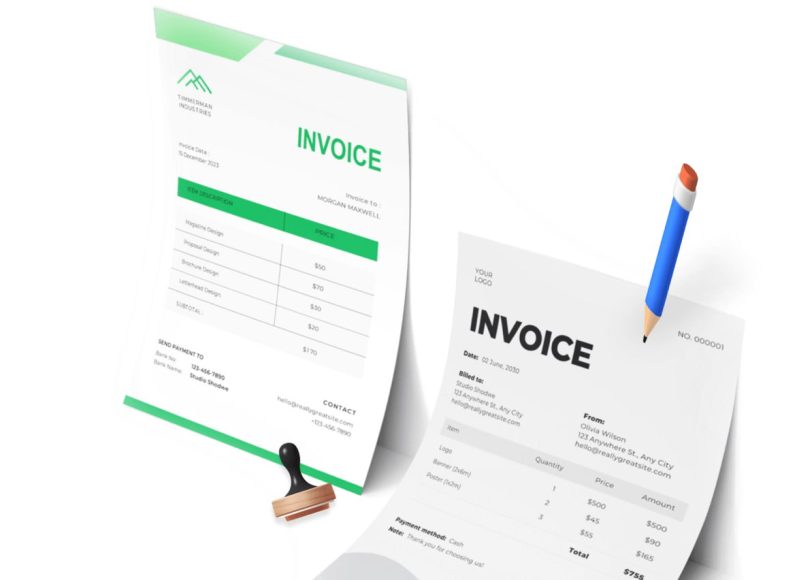
Why Freelancers Need to Invoice Properly
Before diving into how to create invoices without a company, it’s important to understand why invoicing matters so much for freelancers and sole proprietors. The primary purpose of an invoice is to request payment for services rendered or products delivered. But beyond that, invoices serve as legal documents and records that protect your interests and maintain transparency between you and your clients.
In many cases, freelancers and small independent workers face challenges such as payment delays, unclear payment terms, or disputes over amounts owed. An organized and professional invoicing approach helps mitigate these issues. It communicates your expectations regarding payment deadlines and conditions, thereby fostering trust and smooth business relationships.
How to Make and Send an Invoice Without a Registered Company
Contrary to common belief, you do not need a formal business registration to create and send invoices. Freelancers, sole proprietors, and independent contractors can generate invoices that look professional and fulfill legal requirements. The key is to include all necessary information clearly and present it in a structured format.
Many invoicing software tools and online templates cater specifically to individuals without a registered company, making the process simple and quick. These solutions allow you to customize your invoice and automate routine tasks, freeing up your time to focus on your core work.
Here is a step-by-step process to create your first invoice without a company:
Step 1: Choose and Customize an Invoice Template
Begin by selecting an invoice template that matches your style and the nature of your services. Numerous templates are available online, designed specifically for freelancers and sole proprietors. When choosing a template, look for one that is clear, professional, and customizable to your needs.
Once you have selected a template, customize it by adjusting the layout, fonts, and colors to reflect your personal or professional brand. Customizing your invoice enhances your professionalism and helps maintain consistent communication with clients.
Step 2: Fill in the Invoice Details
Your invoice must include several critical details. Accuracy and clarity in this section are essential to avoid confusion and payment delays. The main components you should fill in are:
Invoice Information
- Invoice Number: Assign a unique number to each invoice you send. This helps both you and your client track payments and maintain organized records.
- Invoice Date: Indicate the date the invoice is issued. This is important for tracking payment deadlines.
- Due Date: Clearly state the last date for payment. This sets expectations and encourages timely payments.
- Currency: Specify the currency you accept, especially important if you work with international clients.
- Purchase Order Number: If applicable, include the client’s purchase order number to match your invoice with their internal processes.
Client Details
Include the full name of your client or their company, the billing address with postal code, and a contact number. Providing detailed client information ensures that the invoice reaches the correct person and reduces misunderstandings.
Your Details
Since you do not have a registered company, it is vital to include your full name, address, phone number, and email. This information confirms your identity and provides the client with contact options if there are questions about the invoice.
Step 3: Describe Your Services or Products
The line item section is the heart of your invoice. Here, list each service or product you provided, along with a clear description, quantity (if applicable), and the rate per item or hour. Break down the costs to provide transparency to your client.
Including detailed line items helps the client understand the invoice and reduces the chance of disputes or queries. For example, if you are a graphic designer, list each design task separately, specifying the hours spent or the project phases.
Step 4: Specify Payment Terms
Clear payment terms are crucial for smooth financial transactions. Outline the payment period, such as Net 15, Net 30, or Net 60 days, indicating when the payment is due. Also, state acceptable payment methods like bank transfers, digital wallets, or checks.
If you work internationally, mention the currency accepted and any fees that might be applicable for cross-border payments. Additionally, if you have any penalties for late payments or discounts for early payment, these should be communicated.
Step 5: Add Your Signature
Adding a signature to your invoice, whether handwritten or digital, adds a professional touch. Many invoicing tools allow you to upload or create a digital signature, which you can reuse on all your invoices.
A signature signals authenticity and professionalism, reassuring your client that the invoice is legitimate.
Step 6: Review and Double-Check Your Invoice
Before sending your invoice, thoroughly review it for any errors or omissions. Double-check client information, totals, and dates to prevent issues later. Errors can delay payments and cause confusion, so taking the time to proofread your invoice is essential.
Step 7: Send Your Invoice to the Client
Once the invoice is complete and reviewed, send it promptly to your client. Digital delivery methods, such as email or messaging apps, are preferred because they are faster and provide a record of delivery.
Ensure the invoice is sent to the right contact and that the client confirms receipt. Some invoicing platforms offer features that notify you when your client views the invoice, helping you keep track of the billing status.
Why Avoid Manual Invoicing Methods
Using manual methods like handwritten invoices or basic spreadsheets can slow down your billing process and increase the risk of errors. These traditional approaches often lack consistency and professionalism, which might influence client perceptions and delay payments.
Automated invoicing systems provide templates, automatic calculations, reminders, and reporting tools that streamline the entire process. They help freelancers maintain accurate financial records and improve cash flow management.
Understanding Common Challenges Freelancers Face with Invoicing
Freelancers often experience difficulties such as delayed payments, miscommunication, and disputes related to invoicing. Lack of formal business structure can make clients hesitant or confused about payment processes. Moreover, without experience, some freelancers struggle to create professional invoices that convey clear payment expectations.
These challenges can harm your financial stability and client relationships if not addressed properly. Therefore, adopting clear, accurate, and professional invoicing practices is essential.
Common Invoicing Challenges for Freelancers and How to Overcome Them
If you’ve started invoicing clients without a registered company, you might have already faced some hurdles along the way. Many freelancers and sole proprietors find invoicing tricky because it’s more than just a formality; it’s a crucial part of their cash flow and professional reputation. When done well, invoicing helps you get paid promptly, maintain good client relationships, and keep your finances organized. When done poorly, it can lead to delayed payments, misunderstandings, and even lost income.
In this second part of the series, we’ll explore the most common invoicing challenges freelancers face and provide actionable solutions to help you invoice efficiently, professionally, and with confidence, even without a registered company.
Challenge 1: Clients Don’t Take Invoices Seriously Without a Company Name
One of the biggest concerns freelancers have is that clients might not take their invoices seriously if they don’t come from a registered company. This can lead to payment delays or clients questioning the validity of the invoice.
How to Overcome This:
- Use a Professional Invoice Template: Make sure your invoice looks polished and professional. Clean layouts with clear sections for your contact information, client details, and payment terms help convey legitimacy.
- Include Your Full Legal Name: Since you don’t have a company name, use your full name prominently at the top of the invoice. Treat it like a business name for branding purposes.
- Add Contact Information: Include your phone number, email, and address so the client can easily verify who you are.
- Explain Your Status (Optional): Some freelancers add a short note mentioning that they operate as a sole proprietor or independent contractor. This builds transparency and trust.
- Use a Digital Signature: Adding a digital signature or professional closing line can help personalize and legitimize your invoice.
By following these tips, you can establish a professional appearance that reassures your clients, even without a formal company.
Challenge 2: Lack of Clarity in Payment Terms Leads to Late or Missed Payments
Many freelancers struggle with late payments because their invoices don’t specify when and how payments should be made. Without clear payment terms, clients may delay payments unintentionally or question the deadline.
How to Overcome This:
- Clearly State the Payment Due Date: Use terms like “Net 15” or “Payment due within 30 days of invoice date.” Place this information near the top or bottom of the invoice so it’s easy to spot.
- Specify Accepted Payment Methods: List how clients can pay you — bank transfers, PayPal, Venmo, checks, or other digital wallets. This reduces confusion.
- Include Late Payment Penalties (If Applicable): If you want to discourage late payments, consider including a polite note about interest charges or fees after the due date. Example: “A late fee of 2% per month will be applied to overdue invoices.”
- Send Payment Reminders: If payment is delayed, follow up promptly with a friendly reminder email. Automated invoicing tools often include this feature.
By clarifying payment terms upfront, you reduce delays and keep cash flow steady.
Challenge 3: Keeping Track of Multiple Invoices and Clients
As your freelance business grows, managing invoices for multiple clients can become overwhelming. Losing track of sent invoices, due dates, or payments can confuse and even miss income.
How to Overcome This:
- Use Invoice Numbering Systems: Assign sequential invoice numbers (e.g., 001, 002, 003) to keep invoices organized and easy to reference.
- Maintain a Central Record: Use spreadsheets, accounting software, or specialized invoicing tools to log all invoices sent, paid, and overdue.
- Set Up Payment Alerts: Many invoicing platforms offer payment tracking and alert features to notify you when a payment is received or overdue.
- Organize Client Contact Info: Keep detailed client records with names, contact details, and payment preferences in one place for quick access.
Keeping your invoicing system organized saves you time and avoids embarrassing mistakes.
Challenge 4: Calculating Taxes and VAT Without a Company
If you’re working independently, you might be unsure how to handle taxes or VAT on your invoices. This confusion often leads freelancers to either overcharge or undercharge, causing tax compliance issues or lost profits.
How to Overcome This:
- Understand Your Tax Obligations: Even without a registered company, you may be required to pay income tax and report freelance earnings. Research local tax laws or consult a tax advisor to understand your responsibilities.
- State If You Are Not VAT Registered: If you’re not registered for VAT (common for freelancers under a revenue threshold), mention “VAT not applicable” or “VAT exempt” on your invoice.
- Include Tax Identification If Applicable: Some countries require freelancers to include personal tax ID or VAT number even without a company.
- Use Invoicing Tools That Support Tax Calculations: Many invoicing platforms let you add tax rates automatically based on your location or client’s country, reducing errors.
Getting clear on taxes helps you avoid penalties and build credibility with clients.
Challenge 5: Handling International Invoicing Without a Registered Business
Freelancers who work with international clients face additional hurdles such as currency conversions, cross-border payment methods, and language differences.
How to Overcome This:
- Specify Currency and Exchange Rates: Always clearly state the invoice currency, especially if it differs from your client’s or your local currency. Some freelancers add the exchange rate used to calculate totals.
- List Accepted International Payment Methods: Include payment options that accommodate international transfers, such as PayPal, Wise (formerly TransferWise), or international wire transfers.
- Use Clear and Simple Language: Write your invoice descriptions and payment terms in clear, straightforward English or the client’s language if possible.
- Include Your Country and Tax Details: International clients might need your country and tax information to comply with their accounting requirements.
- Consider Invoicing Software with Global Features: Many invoicing tools automatically handle currency conversion, tax rules, and multilingual options, easing the process.
Handling international invoicing with clarity helps you maintain a professional image and get paid without hassle.
Challenge 6: Lack of Time to Manage Invoices and Payments
Freelancers often find themselves spending more time on invoicing than on actual client work, which affects productivity and profitability.
How to Overcome This:
- Automate Your Invoicing: Use software solutions that generate invoices from templates, send reminders, and track payments automatically.
- Batch Your Billing Tasks: Set aside specific times each week or month dedicated solely to invoicing and follow-ups.
- Use Recurring Invoices for Regular Clients: If you work with clients regularly, set up recurring invoices that are sent automatically on preset dates.
- Integrate Invoicing with Accounting: Link your invoicing tool with accounting software to reduce manual data entry and streamline tax filing.
Automation and strategic scheduling free up your time for more valuable work and reduce errors.
Challenge 7: Feeling Overwhelmed by Invoicing Legalities
Some freelancers hesitate to invoice because they worry about legal compliance or fear making mistakes that could cost them money or cause disputes.
How to Overcome This:
- Educate Yourself: Spend time learning the basics of invoicing laws in your country, especially those related to freelancers or sole proprietors.
- Use Trusted Templates or Software: Use reputable invoicing templates or platforms designed to comply with local laws and international invoicing standards.
- Keep Records for Tax and Legal Purposes: Maintain copies of all invoices, payment receipts, and client communications.
- Consult a Professional If Needed: Don’t hesitate to seek advice from accountants or legal professionals specializing in freelancing or small business taxes.
Understanding the rules reduces stress and ensures your freelance business operates smoothly.
Practical Tips to Improve Your Freelance Invoicing Process
Along with tackling specific challenges, implementing these tips will help you streamline invoicing and increase your chances of getting paid promptly:
- Always Send Invoices Promptly: Send invoices immediately after delivering work or at agreed milestones to speed up payment.
- Be Polite but Firm in Follow-Ups: If payments are late, send courteous reminders and offer assistance if there are issues.
- Offer Multiple Payment Options: Giving clients flexibility in payment methods reduces barriers to paying you.
- Keep Your Invoice Language Simple and Professional: Avoid jargon and use clear, concise descriptions.
- Include Thank You Notes: A small “Thank you for your business” note can enhance client relationships.
- Regularly Review Your Rates and Terms: Adjust pricing and payment terms as your business grows to reflect your value and costs.
How Technology Can Help Freelancers Invoice Like Pros
One of the best ways to overcome invoicing challenges is to leverage technology. Modern invoicing software offers features that save time, reduce errors, and improve professionalism, including:
- Invoice Templates: Professionally designed and customizable templates suited for freelancers.
- Automation: Automatic invoice generation, sending, and payment reminders.
- Payment Gateways: Integration with payment services to accept online payments.
- Multi-Currency Support: Handling of currency conversions and international invoicing rules.
- Tax Calculations: Built-in support for tax rates, VAT, and reporting.
- Mobile Access: Ability to create and send invoices on the go via apps.
- Reporting and Analytics: Tools to track payments, overdue invoices, and cash flow trends.
By choosing the right invoicing software, even freelancers without a company can maintain a professional billing system that inspires confidence and helps grow their business.
The Best Invoicing Tools and Software for Freelancers Without a Company
Freelancing without a registered company means you wear many hats — from creator to marketer, customer service rep, and accountant. Among these roles, invoicing is one of the most important and sometimes the most time-consuming. The good news? Technology can drastically simplify this task.
We’ll explore the best invoicing tools and software tailored to freelancers without a registered business, highlighting features that help you automate your billing, stay organized, and get paid faster — all without the hassle of complex corporate invoicing.
Why Freelancers Need Specialized Invoicing Tools
Before diving into the software, it’s important to understand why freelancers especially benefit from invoicing tools:
- Simplicity and Speed: Instead of building invoices from scratch every time, templates and automation speed up the process.
- Professional Appearance: Tools provide polished invoice designs that impress clients, even without a company name.
- Payment Tracking: Easily track which invoices are paid, pending, or overdue without manual spreadsheets.
- Tax and Currency Handling: Automated tax calculations and multi-currency support reduce errors and compliance issues.
- Time Savings: Automation allows you to focus more on client work and less on admin.
- Legal Compliance: Some tools help ensure invoices meet local and international regulations.
Key Features to Look for in Freelancer-Friendly Invoicing Software
When choosing invoicing software as a freelancer without a company, prioritize these features:
- Customizable Templates: Ability to add your name, contact info, and payment terms.
- Easy Tax Handling: Support for VAT or sales tax exemptions if you’re not registered.
- Multiple Payment Methods: Integration with PayPal, Stripe, bank transfers, and other popular options.
- Automated Reminders: To send friendly late payment reminders.
- Multi-Currency Support: Essential if you work with international clients.
- Mobile-Friendly Interface: Create and send invoices on the go.
- Reporting and Analytics: Track your earnings and outstanding invoices.
- Affordable or Free Plans: Budget-friendly options for freelancers starting.
Top 7 Invoicing Tools for Freelancers Without a Company
Here’s a curated list of invoicing tools that excel for freelancers who invoice under their name and want simplicity plus professionalism.
1. Wave
- Why it’s great: Wave offers a free invoicing platform with no hidden fees, perfect for freelancers on a budget.
- Key features: Unlimited invoices, customizable templates, automatic payment reminders, integration with payment processors, and simple accounting tools.
- Pros: No monthly fees, easy to use, supports multiple currencies, and includes receipt scanning.
- Cons: Customer support is limited on free plans; better for smaller-scale freelancing.
- Best for: Freelancers who want a cost-effective, all-in-one invoicing and accounting tool.
2. FreshBooks
- Why it’s great: FreshBooks is a comprehensive invoicing and accounting tool built for freelancers and small business owners.
- Key features: Automated invoicing, recurring billing, expense tracking, time tracking, multi-currency support, and tax calculation.
- Pros: Intuitive interface, professional invoice designs, strong customer support.
- Cons: Pricing starts at a monthly fee; free trial available.
- Best for: Freelancers ready to invest in a robust tool that grows with their business.
3. Zoho Invoice
- Why it’s great: Zoho Invoice offers a feature-rich free plan with unlimited invoices for up to 5 customers.
- Key features: Multiple invoice templates, automated payment reminders, multi-currency billing, expense tracking, and time tracking.
- Pros: Highly customizable, integrates with other Zoho products, and affordable paid plans.
- Cons: The interface may have a slight learning curve.
- Best for: Freelancers wanting a flexible and scalable invoicing solution.
4. Invoice Ninja
- Why it’s great: Invoice Ninja combines powerful features with free and affordable plans tailored to freelancers.
- Key features: Custom invoices, proposals, recurring invoices, payment gateways integration, multi-currency, and client portals.
- Pros: Open-source option available, solid automation, client portal for transparency.
- Cons: More complex for casual freelancers; better suited to tech-savvy users.
- Best for: Freelancers who want control and customization in their invoicing.
5. PayPal Invoicing
- Why it’s great: If many clients pay you via PayPal, using their invoicing tool streamlines payment collection.
- Key features: Simple invoice creation, send via email or link, automatic payment reminders, instant payment notifications.
- Pros: No monthly fees, easy setup, trusted worldwide.
- Cons: Transaction fees per payment; limited invoice design options.
- Best for: Freelancers who want fast invoicing tied directly to PayPal payments.
6. AND.CO
- Why it’s great: AND.CO is a freelancer-focused platform offering invoicing, contracts, time tracking, and task management.
- Key features: Beautiful invoice templates, automated reminders, expense tracking, proposal, and contract management.
- Pros: All-in-one freelance business tool, easy to use.
- Cons: Free plan has limitations; paid plans add more features.
- Best for: Freelancers seeking an integrated business management suite.
7. Bonsai
- Why it’s great: Bonsai is designed specifically for freelancers, with a focus on automation and compliance.
- Key features: Smart invoicing, recurring payments, late payment reminders, tax estimates, contract templates.
- Pros: Streamlined workflows, professional design, built-in tax tools.
- Cons: Pricing is higher than some competitors; best for freelancers with steady clients.
- Best for: Freelancers looking for professional, end-to-end business management.
How to Choose the Right Tool for You
Selecting the perfect invoicing tool depends on your specific needs and workflow:
- If budget is a priority, start with free tools like Wave or Zoho Invoice.
- If you want all-in-one solutions: Consider FreshBooks, AND.CO, or Bonsai.
- If you handle many international clients, focus on tools with strong multi-currency and tax handling features.
- If you want simplicity, PayPal Invoicing might suffice if you mainly receive payments via PayPal.
- If customization is key, Invoice Ninja and Zoho offer extensive customization options.
Setting Up Your First Invoice in Any Tool
While each software varies, the basic process to create an invoice usually looks like this:
- Sign up and create your profile: Add your name, address, contact details, and tax info (if applicable).
- Add your client’s details: Name, company (if any), and billing address.
- Create an invoice: Select a template or start fresh. Enter the invoice date and number.
- Add your services or products: Describe each item, quantity, rate, and total.
- Specify taxes or VAT: Depending on your status, add applicable taxes or mention tax exemptions.
- Set payment terms: Include due date, payment methods, and any late fees.
- Preview and send: Review your invoice, then send it via email or share a payment link.
- Track payments: Use the software dashboard to monitor status and send reminders if necessary.
Tips for Maximizing Software Benefits
- Customize your invoice branding: Add your photo, logo, or signature for a personal touch.
- Use automation: Schedule recurring invoices and payment reminders.
- Integrate payment gateways: Enable faster online payments via credit card or digital wallets.
- Mobile access: Download apps to create and send invoices anywhere.
- Use reporting tools: Monitor your income, outstanding invoices, and client payment habits.
- Backup your data: Export invoices and financial reports regularly.
What If You Don’t Want to Use Software?
Some freelancers prefer manual invoicing using word processors or spreadsheets. While possible, this approach requires more effort to maintain professionalism and accuracy:
- Use professional-looking invoice templates from trusted sources.
- Number your invoices sequentially.
- Track payment due dates and follow up manually.
- Calculate taxes carefully and note any exemptions.
- Save copies of all invoices for tax and legal purposes.
However, as your freelance work grows, transitioning to software will save you time and reduce errors.
Tax Considerations, Record-Keeping, and Legal Compliance for Freelancers Without a Company
We covered what invoices are, how to create them without a company, and the best tools to simplify your invoicing process as a freelancer. Now, it’s time to address the critical financial and legal side of invoicing without a registered business: tax obligations, record-keeping, and legal compliance.
Understanding these elements helps you avoid penalties, manage your finances wisely, and build a professional reputation with clients — all while working under your name.
Why Tax and Compliance Matter Even Without a Company
Many freelancers start their journey without forming a formal company — it’s simpler and quicker. However, regardless of business registration, tax authorities still expect you to:
- Report income accurately.
- Pay applicable taxes.
- Keep financial records for a defined period.
- Issue invoices that meet legal requirements.
Failure to comply can result in fines, back taxes, or damage to your professional credibility. But don’t worry — with the right knowledge and tools, you can manage this confidently.
Understanding Your Tax Obligations as a Freelancer Without a Company
Tax rules for freelancers vary by country, but some common principles apply globally.
1. Report All Income
Even if you work as an individual, all money you earn from freelancing must be reported on your tax return. This income is typically classified as self-employment income or personal income, depending on your jurisdiction.
- Keep track of every invoice sent and payment received.
- Use your invoicing software or accounting records to generate accurate income summaries.
2. Pay Income Tax
The net income you make after deducting business expenses is subject to income tax.
- Calculate your taxable income by subtracting allowable business expenses (software subscriptions, equipment, workspace costs) from your gross income.
- File annual or quarterly tax returns as required.
3. Self-Employment or Social Security Contributions
Many countries require freelancers to contribute to social security or equivalent programs.
- Check local laws to understand your contributions.
- Often, these are calculated based on your reported income.
4. VAT / Sales Tax Considerations
Depending on your country and income level, you may need to:
- Register for VAT or sales tax.
- Charge VAT on your invoices.
- File periodic VAT returns.
If your income is below the registration threshold, you may be exempt, but you still keep records.
Practical Tax Tips for Freelancers
- Separate your personal and business finances: Open a dedicated bank account to track freelance income and expenses.
- Keep all receipts and invoices: Both income and expense records are essential for tax deductions and audits.
- Use accounting or invoicing software: Many tools can generate tax reports and summaries to simplify filing.
- Consult a tax professional: Especially in your first year, a local tax advisor can help you understand your obligations.
- Stay informed: Tax laws change frequently; subscribe to updates from tax authorities or professional bodies.
Essential Record-Keeping Practices
Good record-keeping protects you in case of audits and helps monitor your financial health.
- Save copies of every invoice: Digital or paper copies should be organized by date or client.
- Track payments received: Reconcile invoices with bank statements or payment platform reports.
- Maintain expense records: Collect invoices, receipts, and proof of payment for business costs.
- Store documents securely: Use cloud storage or dedicated accounting software backups.
- Keep records for the legally required period: Usually between 5 and 7 years, depending on your country.
Legal Requirements for Invoices Without a Company
Your invoices must comply with local laws, even if you’re freelancing as an individual. Here are the typical mandatory elements:
- Your full name and contact details: Address, phone, email.
- Invoice number: Unique, sequential invoice identifier.
- Invoice date: The date the invoice is issued.
- Client details: Name and address.
- Description of services or products provided.
- Amount charged: Price per item, subtotal, and any taxes.
- Payment terms: Due date, accepted payment methods.
- Tax identification number (if applicable): In some countries, you may have a personal tax number to include.
- Tax details: VAT or sales tax if you are registered.
- Currency: Indicate the currency if working internationally.
Failing to include these details may invalidate the invoice for tax or legal purposes.
Handling International Clients and Taxes
If you work with clients abroad, invoicing and tax become more complex:
- Currency conversions: Use clear currency indicators and, if required, the exchange rate.
- VAT on cross-border services: Different rules apply for services sold to businesses or consumers in other countries. For example, within the European Union, VAT treatment varies based on the client’s location and VAT registration status.
- Withholding tax: Some countries require clients to withhold tax on payments to foreign freelancers.
- Double taxation treaties: These agreements prevent you from being taxed twice on the same income by two countries.
Freelancers working internationally should:
- Research tax treaties between their country and their clients’ countries.
- Consult an accountant with expertise in international freelancing.
- State tax responsibilities in contracts or invoices.
What to Do If You Want to Formalize Your Business Later
Starting as a freelancer without a company is common, but many choose to incorporate later for benefits such as:
- Limited liability protection.
- Tax optimization opportunities.
- Access to business banking and loans.
- Enhanced credibility with clients.
If you decide to formalize:
- Notify tax authorities of your new business status.
- Update your invoicing templates and software settings.
- Keep old freelance income records separate for tax filing.
- Understand new compliance requirements like payroll taxes if you hire others.
Using Software to Stay Compliant
The invoicing tools discussed in Part 3 can help you meet tax and legal requirements by:
- Automatically generating compliant invoice numbers.
- Including mandatory invoice fields.
- Calculating taxes based on your region.
- Storing digital copies safely.
- Exporting financial data for your accountant or tax filing.
Many platforms also provide reminders for tax filing deadlines or integration with tax filing software, making compliance easier.
Final Thoughts
Invoicing without a company might seem straightforward at first glance, but it requires awareness of important tax and legal responsibilities. Proper tax reporting, diligent record-keeping, and compliance with invoicing laws help protect you financially and legally, ensuring smooth operations as a freelancer.
By combining smart invoicing tools with good financial habits and expert advice when needed, you can confidently run your freelance business independently, grow your client base, and get paid on time — all while staying on the right side of the law.